
How to Renew a Storii Subscription
This document provides detailed information on the subscription renewal process for both the Storii Gift Box and online subscriptions. It outlines the steps required for renewal, updating payment information, and additional options available to users.
Subscription Renewal: Storii Gift Box
Subscriptions for the Storii Gift Box automatically expire 12 months after activation. By default, the subscription renewal must be completed by the individual who originally purchased the Storii Gift Box.
To renew the subscription, the purchaser can follow these steps:
Sign in to their Storii account.
Click the arrow in the top right-hand corner.
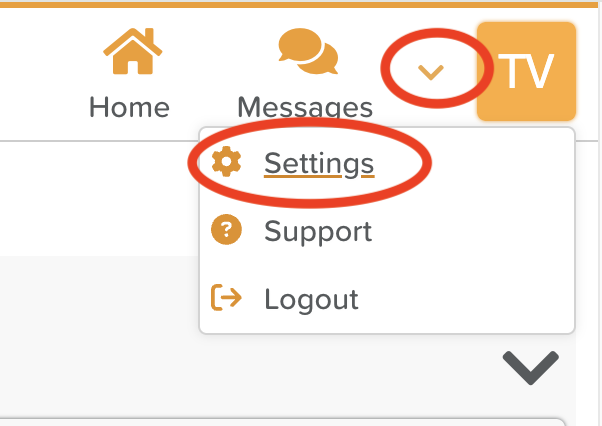
Select Settings.
Navigate to Billing.
Click on Click here to manage billing information.
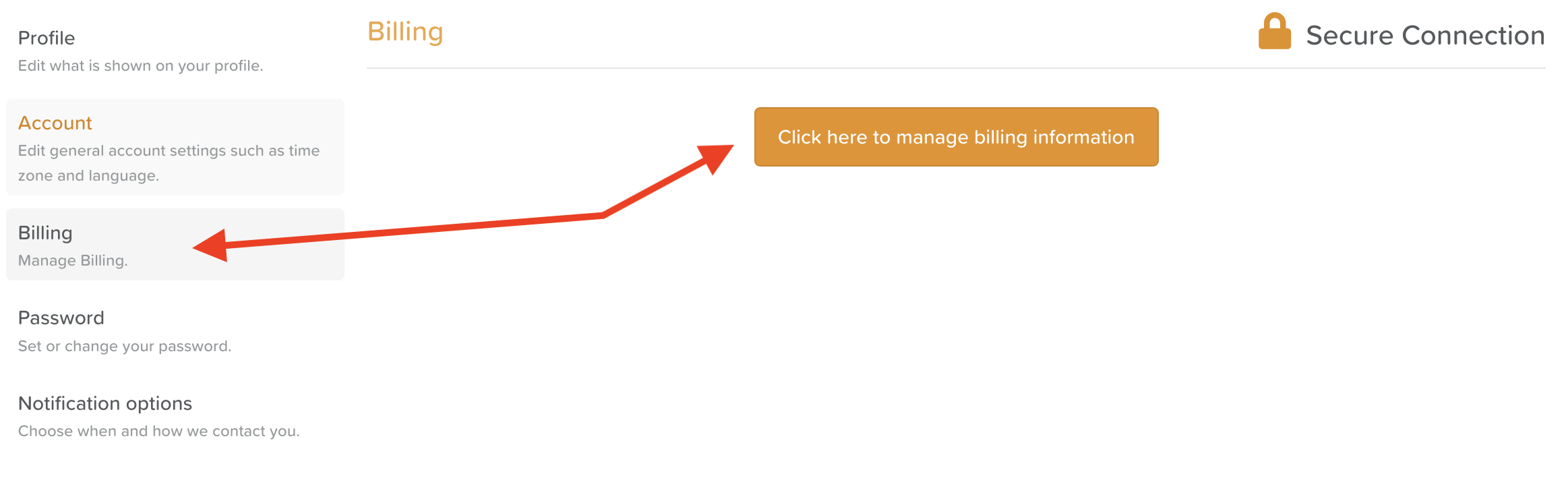
Follow the prompts to renew the subscription for another year or choose a month-to-month option.
If a storyteller wishes to pay for their own subscription renewal, they can email support@storii.com to request assistance.
Subscription Renewal: Online Subscription
Annual and monthly subscriptions purchased online are set to auto-renew. Users do not need to take any additional action unless they wish to change their subscription type or payment information.
How to Update Payment Information for a Storii Subscription
If users need to update or change their payment information or subscription type, they can do so by following these steps:
Sign in to your Storii account.
Click the arrow in the top right-hand corner.
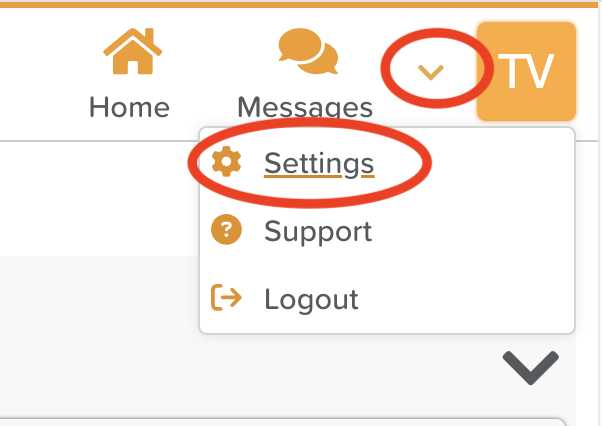
Select Settings.
Go to Billing.
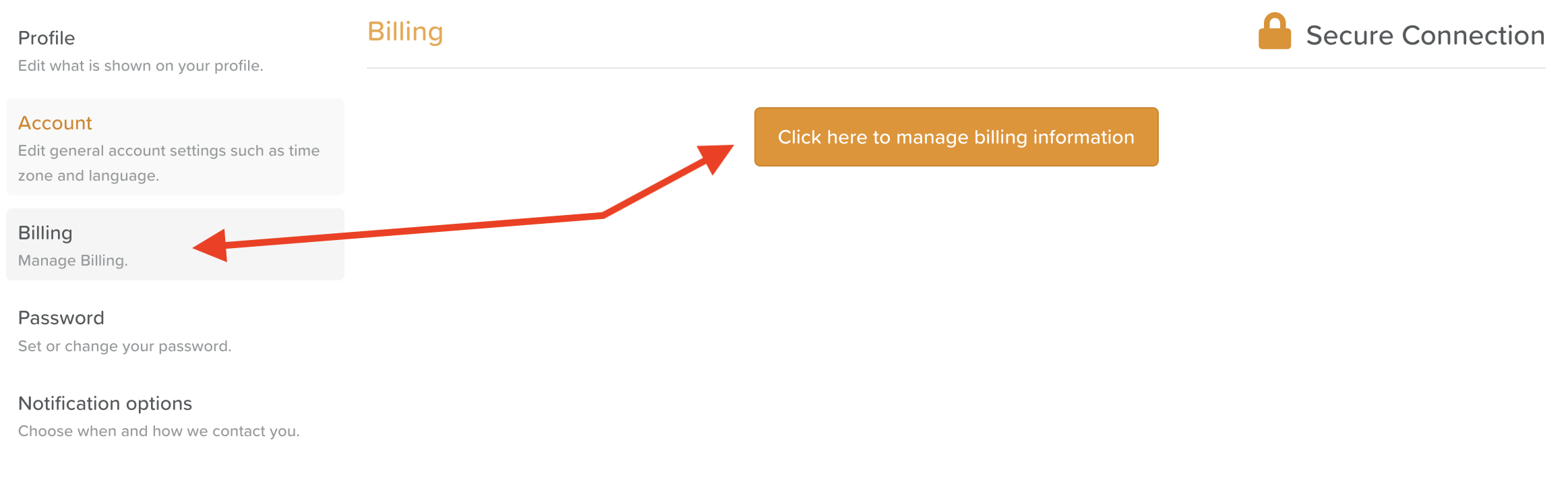
Select Click here to manage billing information.
Add a new payment method or update existing information as needed.
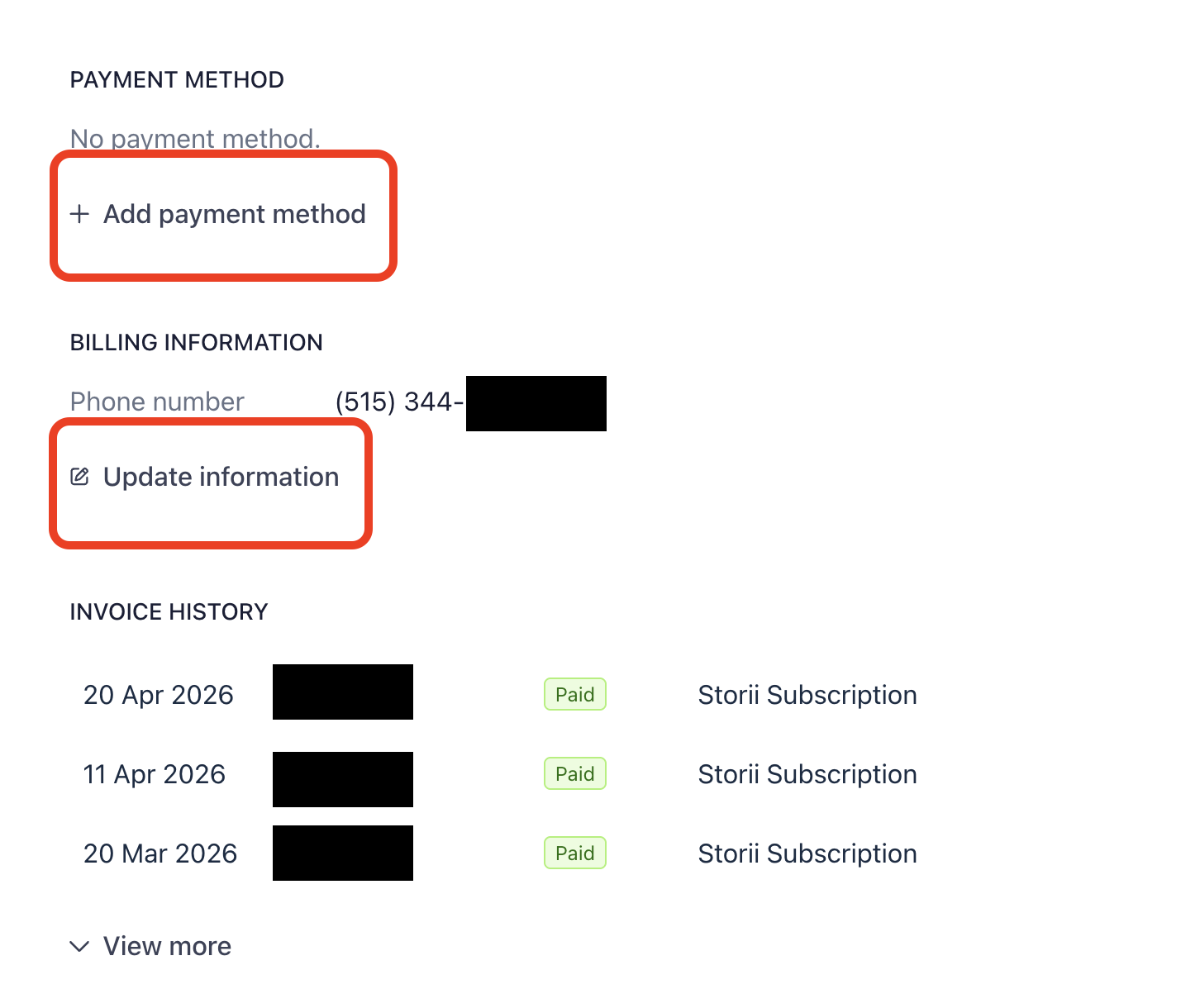
By following these steps, users can ensure their subscriptions remain active and their payment information is up to date.