
How to Re-Record an Answer
Edited
Did you make a mistake recording an answer and want to start over?
This article is for you!
This step-by-step guide on how to delete existing recordings in your Storii account and add the question back to your Upcoming Questions list, ensuring that you can easily manage your call queue and maintain the quality of your recordings.
How to Delete a Recording
If you wish to change a recording in your Storii account, follow these simple steps:
Sign in to your Storii account.
Click on Answered Questions.

Click on the question you want to add back to the Call Queue.
Click Edit.
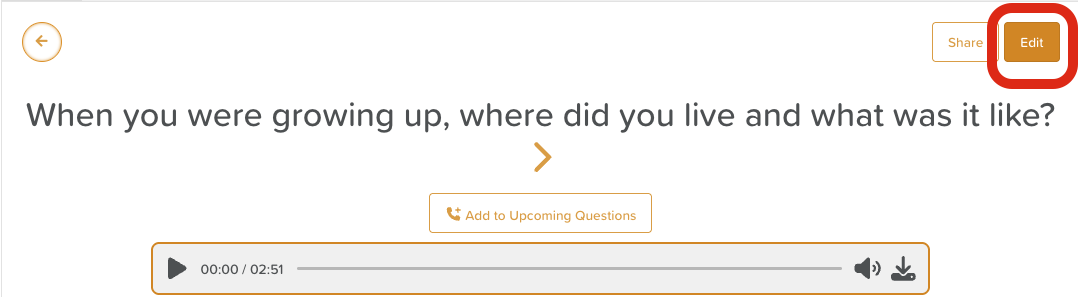
Scroll to the bottom of the page and click Delete.
How to Add a Question Back to the Call Queue
From the main Life Story page, click on Upcoming Questions.
Click Add new question.

Re-enter the question and save.
Delete answer
Delete recording
Redo
Start over